Intro to Methods and data properties in Vuejs
In this tutorial, we are going to learn about how to use methods and data properties in Vue JS.
For this tutorial we are using Vue cli to generate our Project.
Creating our project
Let’s quickly create our vue project by running the following command.
vue create vue-appThis above command will download required files in vue-app folder.
Note: if you don’t about how to create vue project using cli then check out my Vue Cli 3 tutorial
Change your working directory by using cd vue-app then open your project folder by using your favorite code editor.
Inside your src folder navigate to App.vue file and remove everything then replace with below code.
<template>
  <div>
    <h1>Hello Vuejs</h1>
  </div>
</template>

<script>
export default {};
</script>
Data property
In the above code, we are exporting default empty object inside the <script> tag let’s add the data property to that empty object.
<script>
export default {
   data:function(){
       return {
           title: "Vuejs"       }
   }
};
</script>data: The data property value is an anonymous function which is returning object.Every property
inside that object is added to the Vue reactivity system so that if we change that property value then vuejs re-renders the dom with the updated data.
let’s add the title property to our template tag by using {{}} double curly braces.
<template>
  <div>
    <h1>Hello {{title}}</h1>  </div>
</template>

<script>
export default {
  data: function() {
    return {
      title: "Vuejs"
    };
  }
};
</script>
In Vuejs we need to use double curly braces {{js expression }} to pass the JavaScript expressions.
Let’s start the development server by using the following command.
npm run serve
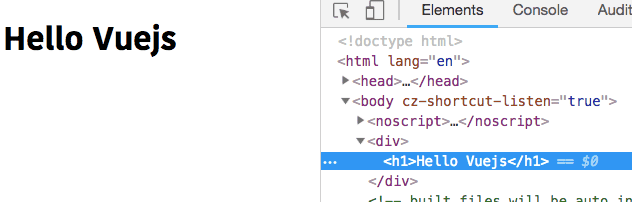
Have you seen our {{title}} is replaced with Vuejs.
Methods property
The name denotes you can create methods by using me, let’s create our first method by using methods property.
The methods property value is also an object.
<script>
export default {
  data: function() {
    return {
      title: "Vuejs"
    };
  },
  methods:{
      welcomeMsg:function(){          return `Welcome to ${this.title} world`      }  }
};
</script>
In the above code, we have added a welcomeMsg method which is returning a
string.
Inside the methods, we can access the data object by using this.propertyname.
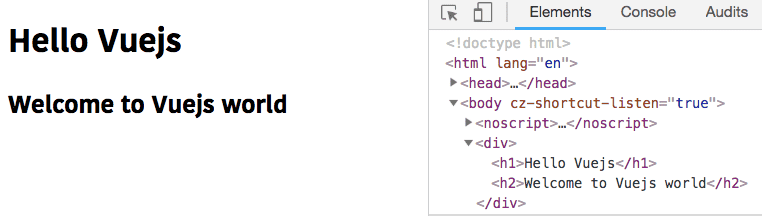
Let’s invoke the welcomeMsg method inside our template tag.
<template>
  <div>
    <h1>Hello {{title}}</h1>
    <h2>{{welcomeMsg()}}</h2>  </div>
</template>
- Share:


